Task automation and simpler workflows
Automatic continuation, clearer review and direct task planning reduce the interruptions between a request and a delivered result.
Feedback from users and more extensive use on larger projects exposed friction between steps that already worked. A delivery could leave another task waiting for a new destination. Reviewing a result meant sorting through repeated state and recovery controls. Moving a priority or setting aside a task required another Coordinator request.
The changes in 0.7.0 make those transitions more direct. The Coordinator still shapes the work, workers implement it, and you approve exact code. Routine continuation and navigation need less intervention.
Continue after another task delivers
Parallel tasks can start from the same branch revision and finish at different times. Once the first task delivers, the second task’s candidate needs to be checked against the new destination.
Flowfield now prepares and validates that candidate automatically while the queue is enabled. If the destination change causes a merge conflict or failed check, it can queue a scoped correction with both code inputs and the failure evidence. Useful completed work stays available. The revised candidate receives its configured review and needs fresh delivery approval.
This keeps a normal consequence of parallel work from becoming a manual restart. Pausing the queue prevents new continuations. Changed requirements, settings, access problems or repeated corrections without progress still need attention.
Read the result and its evidence
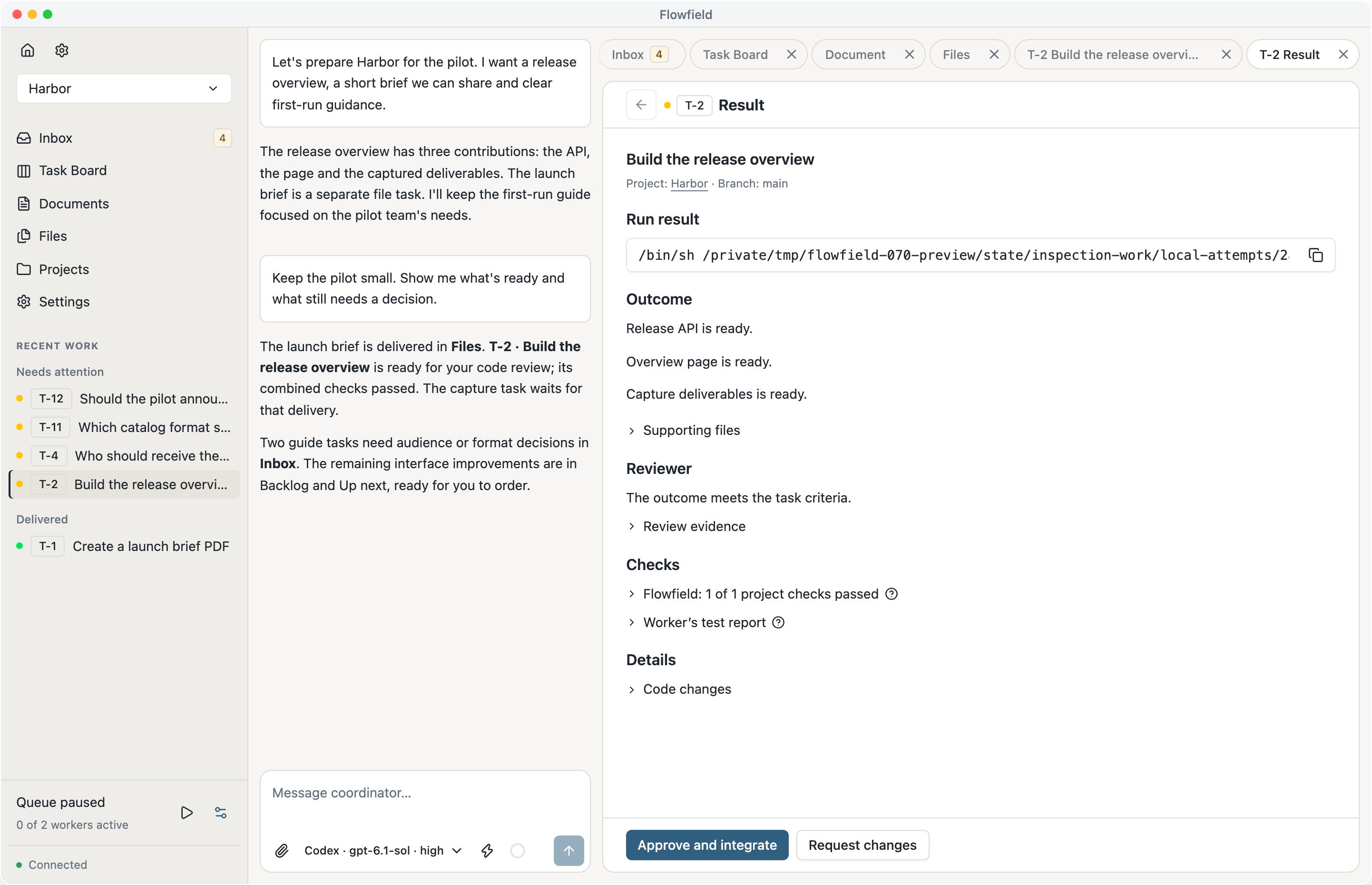
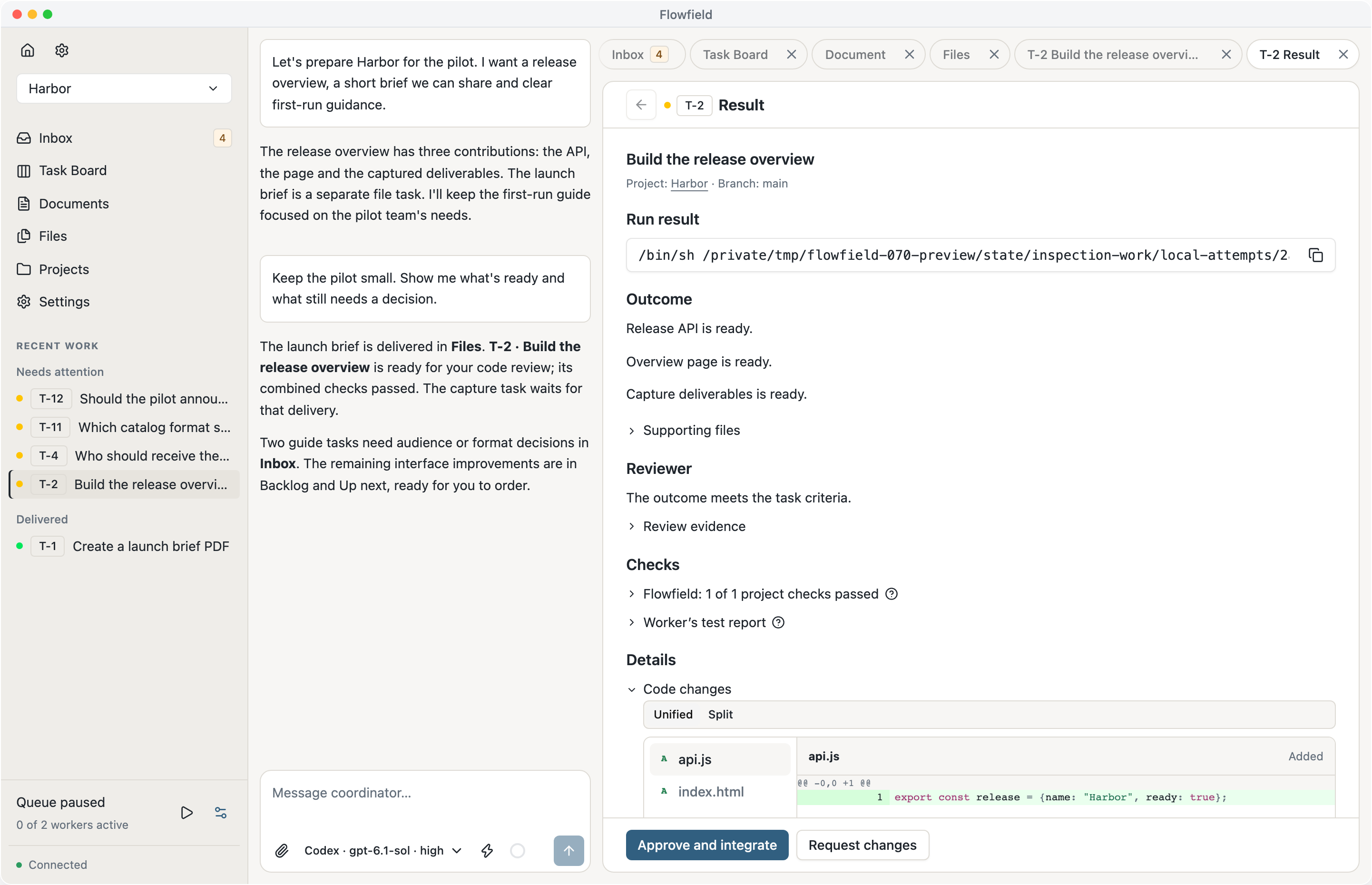
Results put the outcome, destination, files and code changes together. Repeated delivery status and obsolete recovery prompts have been removed. Earlier results keep their evidence and point to newer work when it supersedes them.
Validation shows the command running, elapsed time, timeout and recent output. You can distinguish a slow check from a completed one and stop checks when necessary. Projects without validation commands can leave the field empty; the result states that no checks were configured.
A result’s launcher prepares an independent copy for inspection. Open it yourself or ask the Coordinator to run it. Approval delivers the exact code to the configured local branch; running, pushing and publishing are separate instructions.
Adjust the plan directly
Drag tasks within Backlog and Up next, or between those columns, to change their order. Cards insert where you drop them and snap into place. Moving a task into Up next keeps the normal preparation, dependency and queue checks.
Archive a task from its title when you no longer intend to finish it. Stopped work can be set aside without completing it; active execution must stop first. Restore brings back the task and its history.
The Coordinator remains useful for changing scope, resolving dependencies and grouping feedback into tasks. Direct controls handle the small ordering and housekeeping decisions that don’t need another conversation.
Keep decisions easy to find
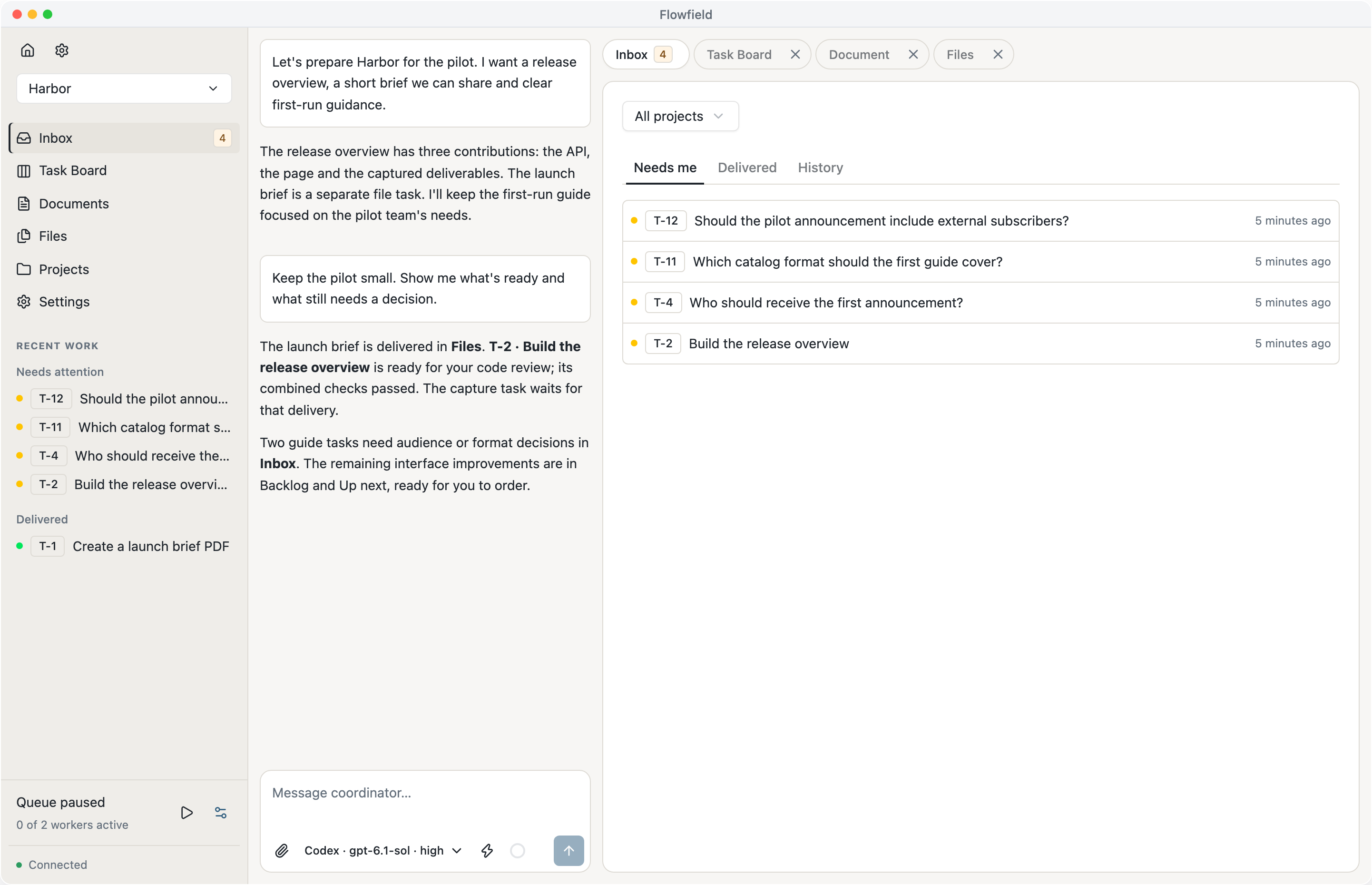
Needs me, Delivered and History now use compact lists. Open an item in its own work tab to read the request or result while Inbox keeps its position. History contains earlier decisions; completed outcomes stay in Delivered.
The sidebar groups Needs attention, Delivered and In progress, with up to five items each. Task settings and other title actions use consistent bordered icon buttons. Task keys and titles wrap together, with status on its own line.
These changes make a busy workspace easier to scan. The update also improves connection recovery and preserves expanded Inbox lists when a background refresh interrupts loading.