
One conversation. Tasks. An Inbox.
Work through ideas with the Coordinator while agents carry out focused tasks. Keep track of progress, cost and what needs your attention.
Plan through one conversation.
Bring a rough idea, a wall of feedback or a one-off request. Work through it with the Coordinator, group related changes and agree on what each task should accomplish.
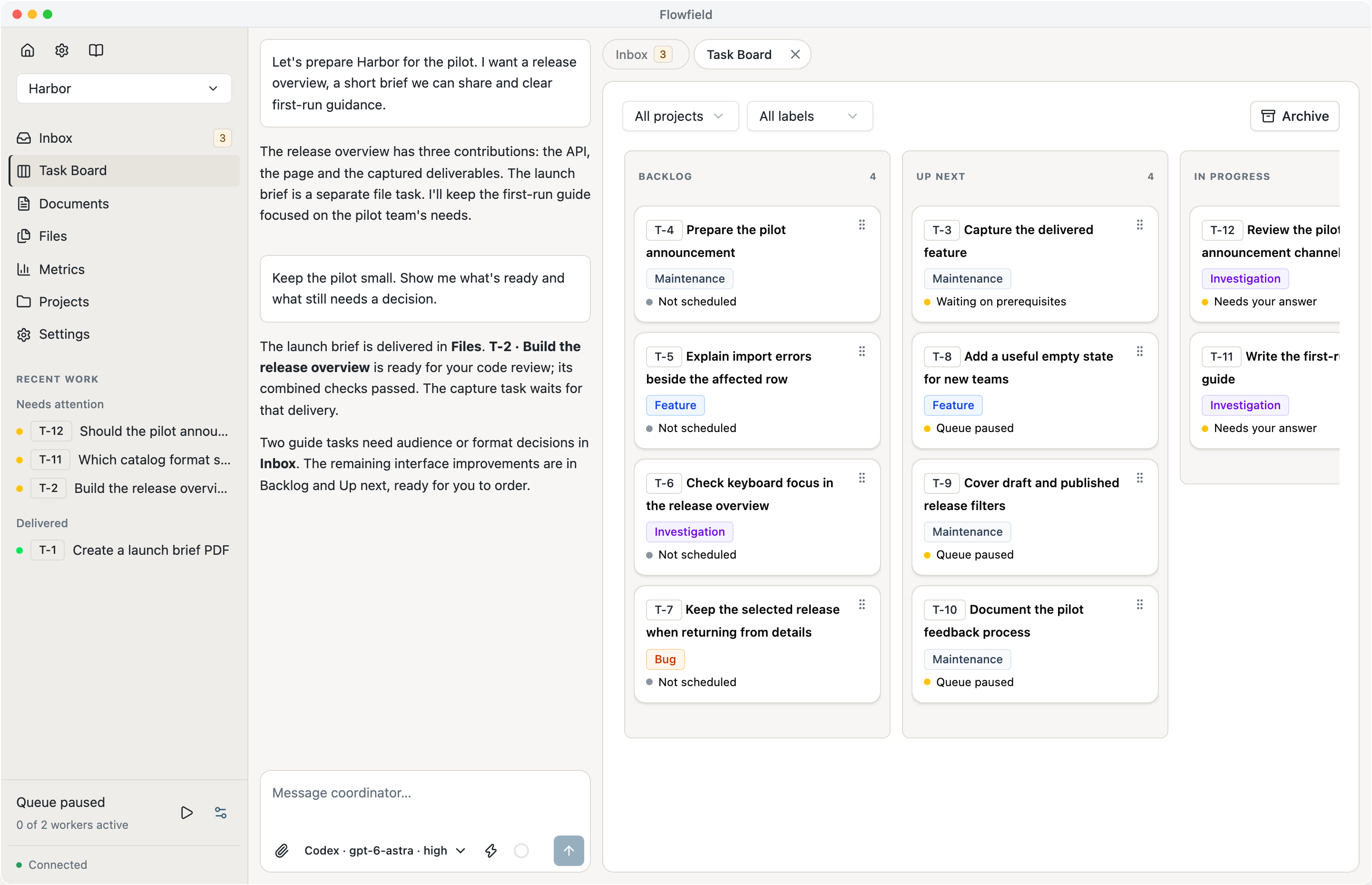
Keep planning while workers carry out agreed tasks. Open a task or result beside the conversation to discuss it, and drag cards on the board to change what comes next. Keep ideas in Backlog and move work to Up next when you want it executed.



Let’s add recommendations and social features to the library.
People are still getting stuck on their first import. Should we make that useful before adding more ways to discover books?
Yes. Clear validation, a helpful empty state, and a short guide. The rest can wait.
I’ve prepared an API task, a dependent app task and a guide. The queue is paused. We can check the scope before starting.
Keep decisions where workers can use them.
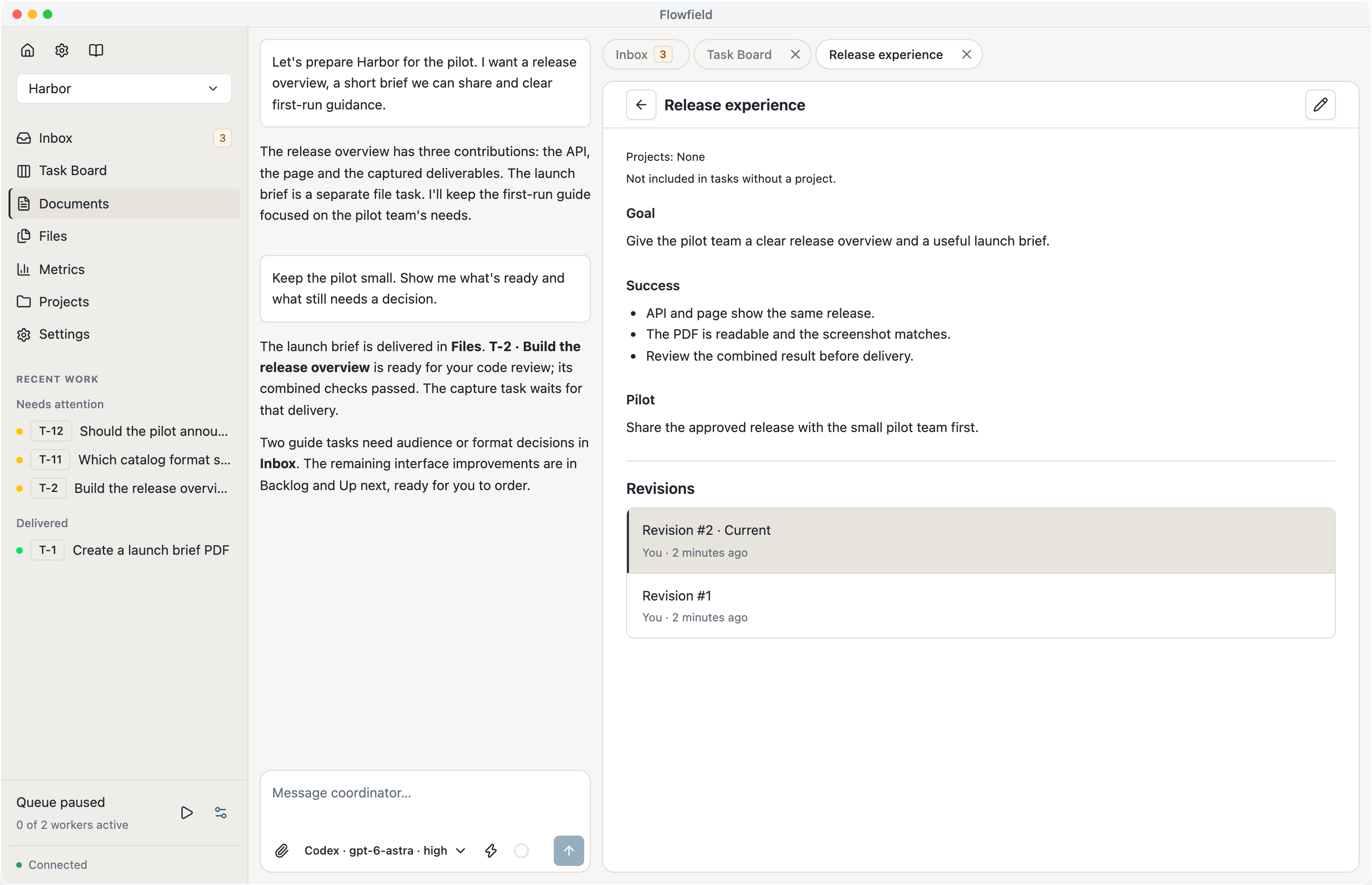
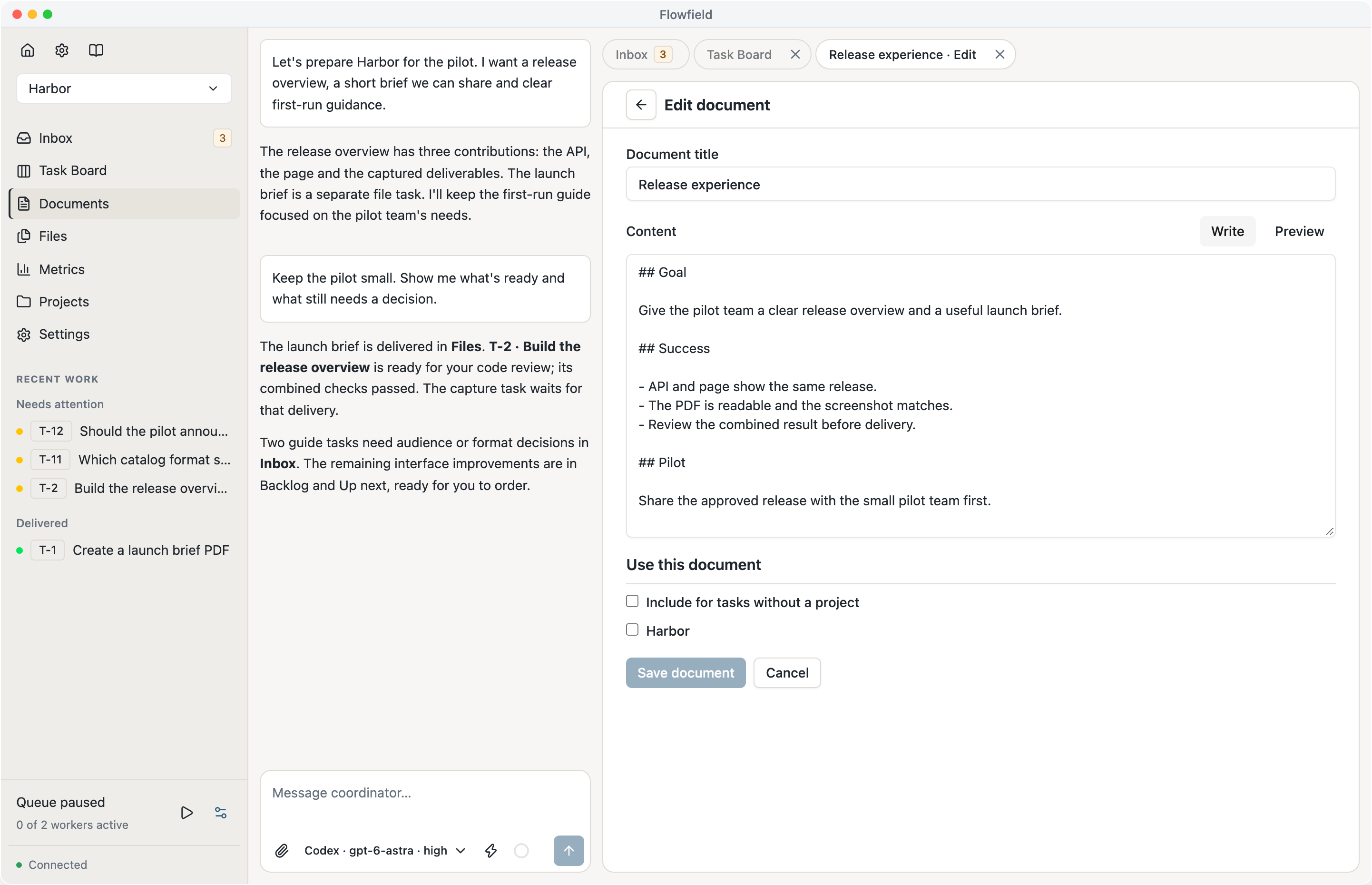
Save project guidance, constraints and decisions in documents you and the Coordinator maintain together. Select the documents each project and task needs instead of repeating the same context in every thread.
When guidance changes, Flowfield reviews unfinished work and updates it before continuing. Results keep the exact revisions used, so you can see which guidance informed each outcome.
Read the document guide (opens in a new tab)A library people can actually use.
Help a small community share its books. Make the first useful action obvious.
What we agreed
Show how to add the first book, with an example of the expected format.
What can wait
Recommendations and social features. Get finding and sharing right first.
Follow tasks across your projects.
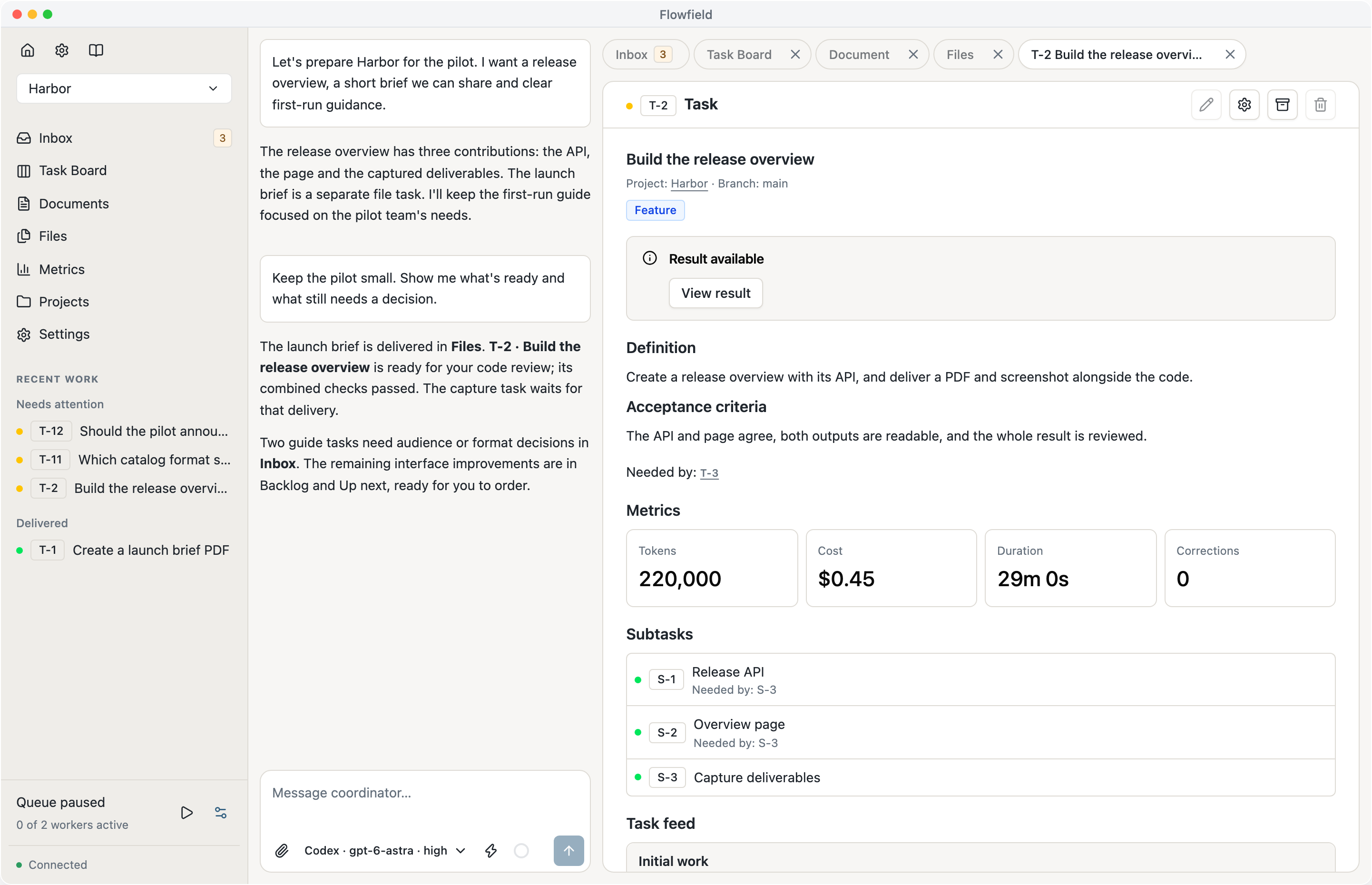
Organize work on your API, application and documentation in one workspace. Each task keeps its scope, worker activity, metrics and results. Independent tasks run in parallel; dependent tasks wait for the work they need.
Workers use separate checkouts and your project’s tools and checks. Larger tasks can split into subtasks that come back as one result for review. Each code task belongs to one repository.
Explore tasks and dependencies (opens in a new tab)Up next
Guide the first import
Waiting for T-1
Keep import filters when returning
Ready to start
In progress
Write the import guide
Worker running
Accept optional publication dates
Worker running
In review
Validate the catalog import
Ready for your approval
Explain empty import results
Ready for your approval
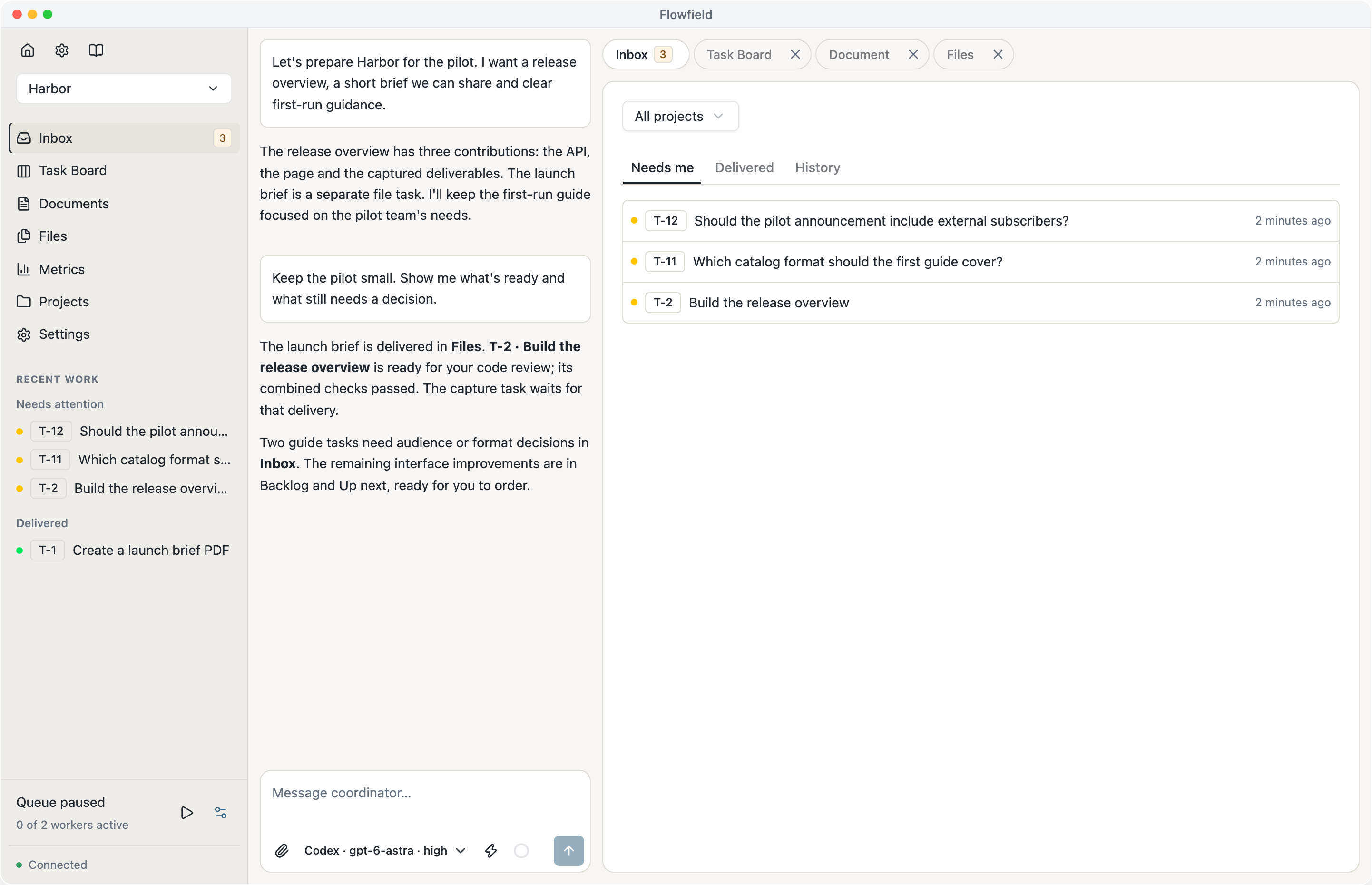
Find what needs you in one Inbox.
Questions, permission requests and code approvals come back to you here. Open an item to respond or discuss it with the Coordinator. After you answer, eligible work continues automatically.
Needs me shows pending decisions, Delivered holds completed results, and History keeps earlier responses. The related task preserves the activity and context behind each item.
Explore Inbox (opens in a new tab)Find the files behind each result.
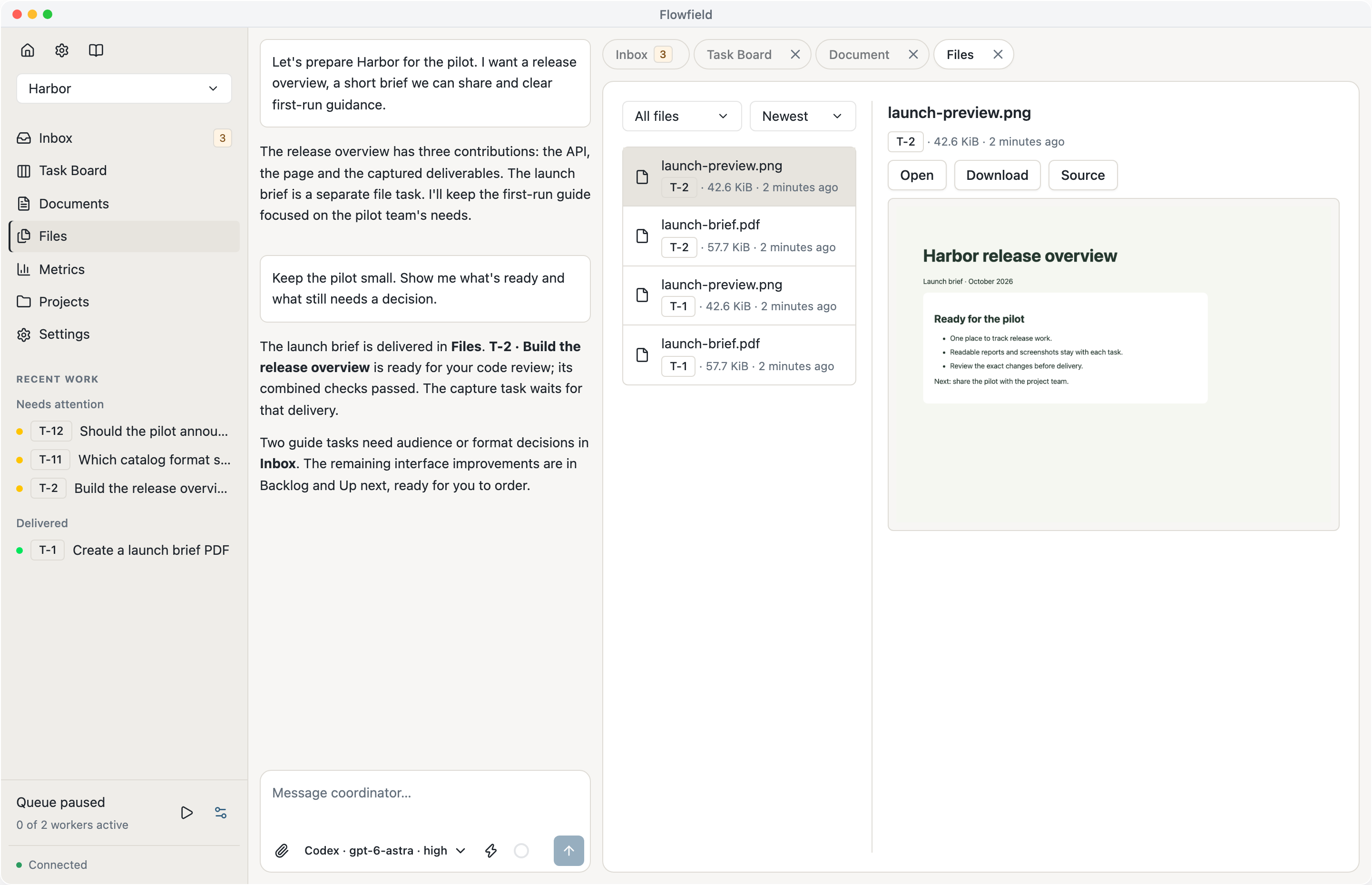
Give research, reports, screenshots and datasets their own tasks, with context and review. These tasks can run without a repository.
Browse files by task, preview or download them, and follow them back to the result that produced them. Use selected files as inputs to later work.
Explore file delivery (opens in a new tab)Your first useful import
Start with a small catalog. Each entry needs a title and an author.
{ "title": "The Left Hand of Darkness",
  "author": "Ursula K. Le Guin" }
If a row is incomplete, the error identifies the row and missing field.
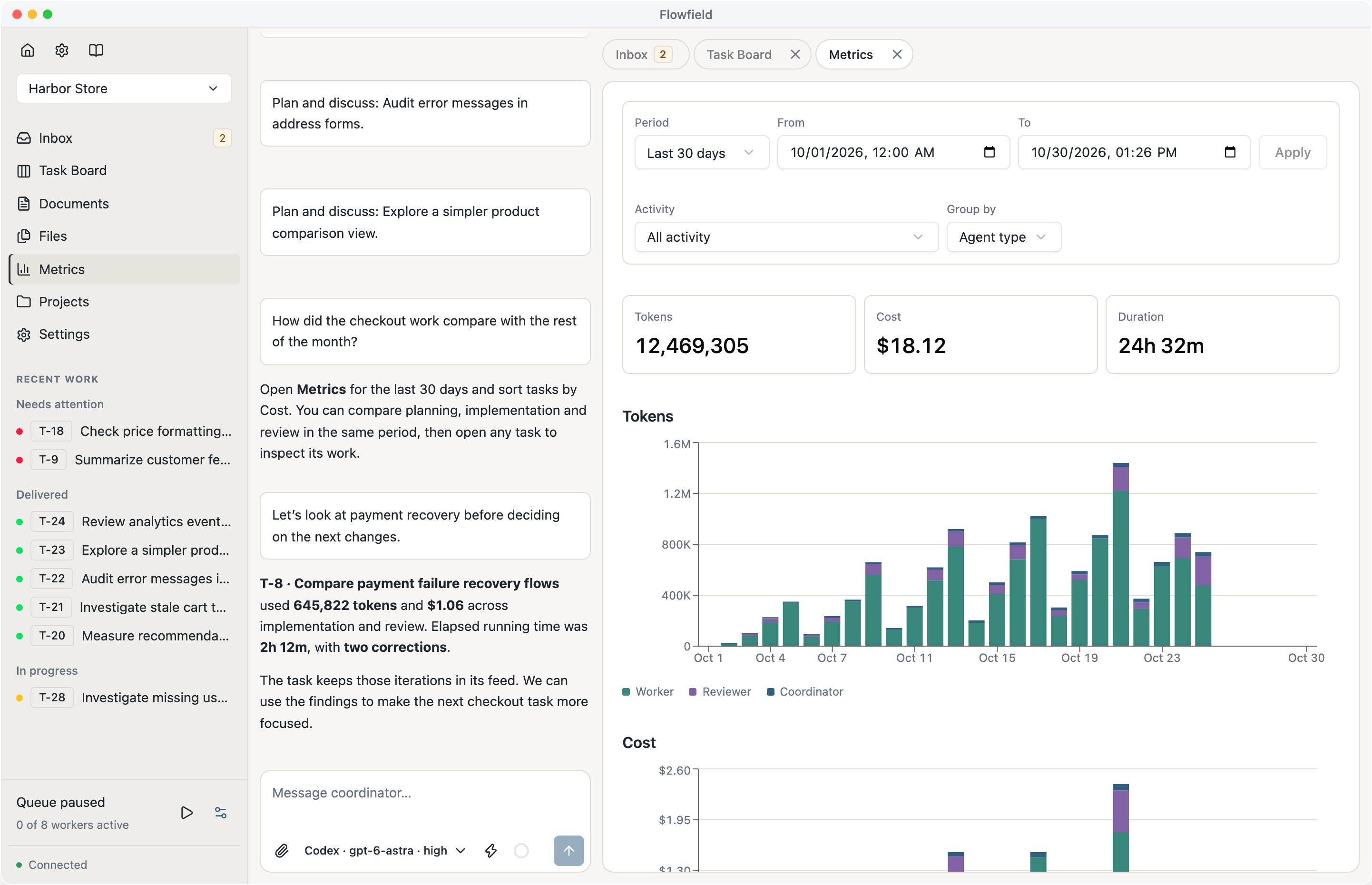
See what your agents spend.
Follow tokens, cost and running time across your workspace. Compare planning, implementation and review, or group activity by harness or model. Select a period in a chart to take a closer look.
Sort tasks by tokens, cost or duration, then open one to see its work and corrections.
Explore Metrics (opens in a new tab)- Tokens
- 1,200,000
- Cost
- $4.28
- Duration
- 3h 42m
Tokens
- Worker
- Reviewer
- Coordinator
Tasks
| Task | Tokens | Cost | Duration |
|---|---|---|---|
| T-8 Payment recovery | 420,000 | $1.50 | 1h 12m |
| T-6 Account settings | 300,000 | $1.08 | 54m |
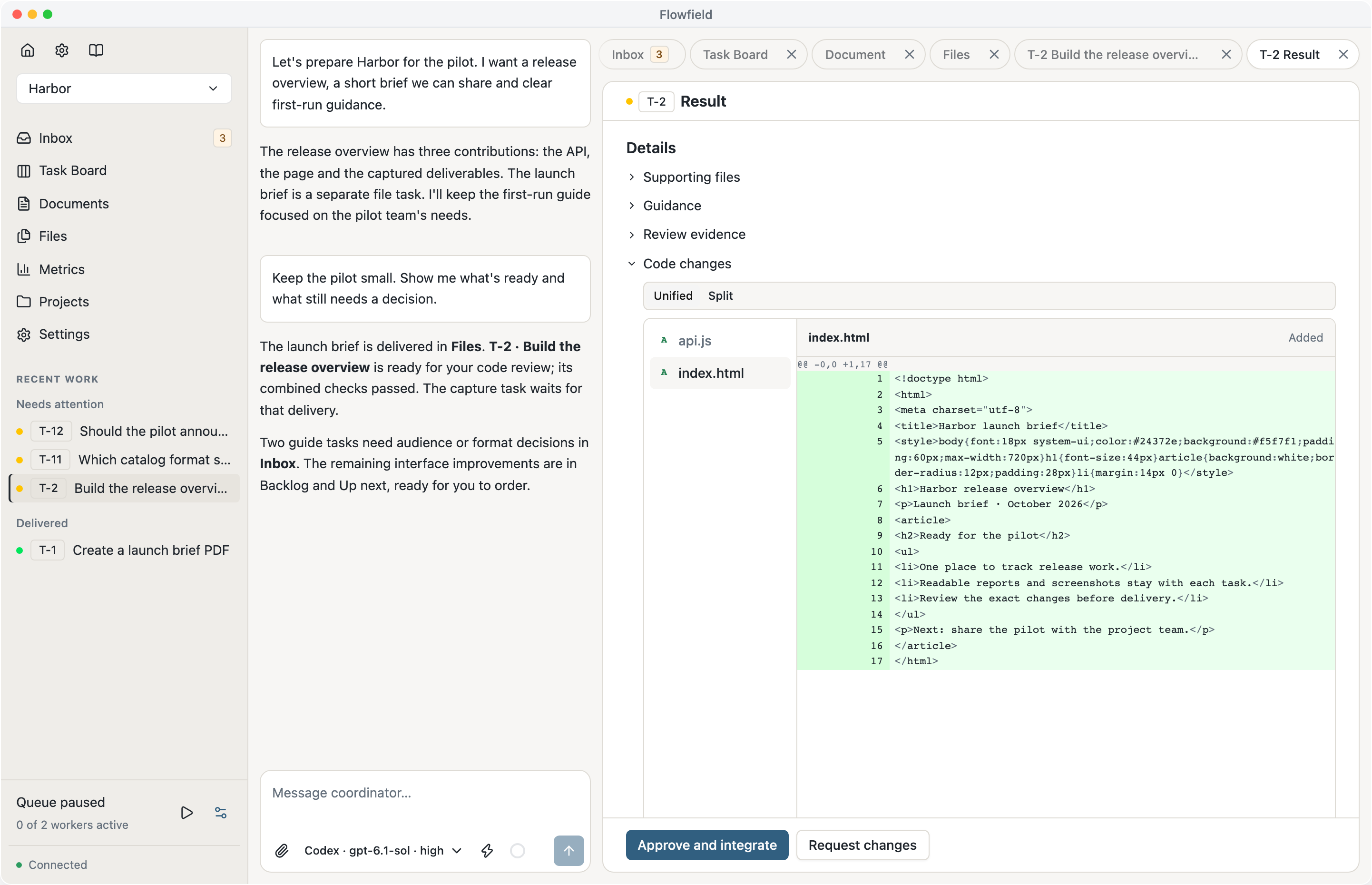
Review the result and decide what ships.
A Reviewer checks each result against the task and can send it back for corrections. Choose its agent and model independently of the workers doing the implementation.
Read the findings, inspect the diff and run the prepared result before approving it for your local branch. Reports and files finish after their configured review. Open running applications from their result, or read command output and generated files. Ask the Coordinator to push or publish a result when you’re ready.
See how review and delivery work (opens in a new tab)Make import errors useful.
Invalid rows now identify the file and the missing field.
✓ Project checks passed✓ Reviewer: both contributions meet the task criteria− raise ValueError("Invalid catalog")+ raise ValueError(+ f"{path}: row {row} needs a title")Take a look around.
Screenshots of the Flowfield workspace.
Let’s talk.
Questions, ideas, or something you’re building?
hello@flowfield.sh (opens in a new tab)